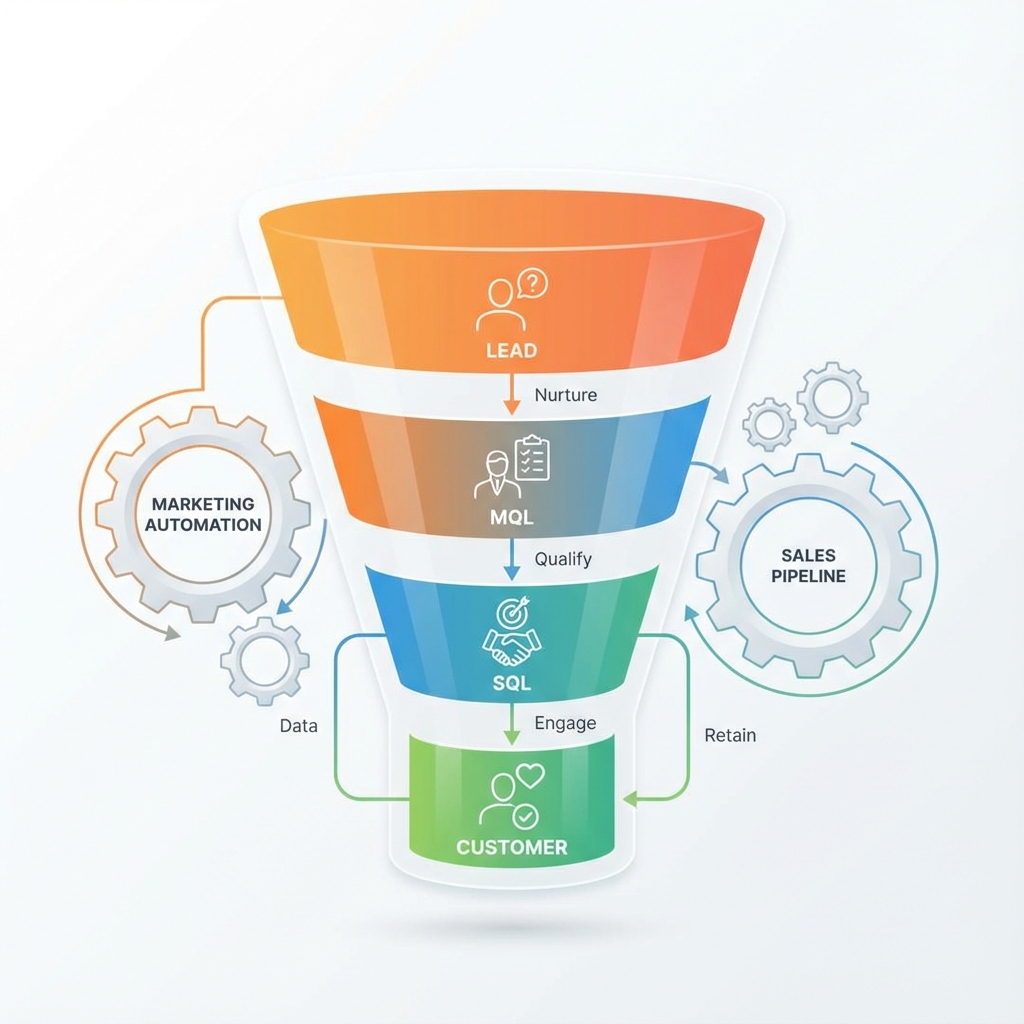
Most CRM implementations fail because lifecycle stages are either too generic or too complicated. Here's how to create stages that actually drive action and improve your sales process.
Why Lifecycle Stages Matter
Lifecycle stages serve three critical purposes:
| Purpose | Without Clear Stages | With Clear Stages |
|---|---|---|
| Visibility | "Where is this lead?" | Instant status check |
| Automation | Manual follow-up (forgotten) | Right message, right time |
| Reporting | "Marketing sent leads" | 15% MQL→SQL conversion rate |
Real Example: A SaaS company had 12 lifecycle stages. Sales reps ignored them—too confusing. After simplifying to 5 stages with clear definitions, CRM adoption went from 40% to 95% and average response time dropped from 6 hours to 45 minutes.
The Problem with Default Stages
HubSpot's default stages (Subscriber, Lead, MQL, SQL, Opportunity, Customer) work for some businesses but not all.
Common issues:
Too Many Stages
❌ Bad: Subscriber → Lead → MQL → SAL → SQL → Opportunity → Customer → Evangelist
   (8 stages = confusion)

✅ Good: Lead → Qualified → Opportunity → Customer
   (4 stages = clarity)
Unclear Definitions
"What makes someone an MQL vs SQL?"
If you can't answer this in one sentence, your team can't either.
No Action Tied to Stages
If moving to a stage doesn't trigger:
- A notification
- An automation
- A task
...then why does that stage exist?
A Better Framework
Here's a proven 6-stage framework that balances simplicity with useful segmentation:
Stage 1: New Lead
| Attribute | Definition |
|---|---|
| Who | Any new contact entering your system |
| Entry Trigger | Form fill, import, manual creation |
| Automated Action | Welcome email sequence starts |
| SLA | N/A (automated nurture) |
Stage 2: Marketing Qualified (MQL)
| Attribute | Definition |
|---|---|
| Who | Shows buying intent, not just information-seeking |
| Entry Trigger | Requests demo, pricing page visit, high-intent content |
| Automated Action | Alert to SDR, priority in queue |
| SLA | Contact within 4 hours |
MQL Criteria Example:
Score ≥ 50 points OR
Any of:
  - Requested demo
  - Visited pricing page 2+ times
  - Downloaded buyer's guide
  - Attended webinar + visited site
Stage 3: Sales Accepted (SAL)
| Attribute | Definition |
|---|---|
| Who | SDR has contacted and confirmed basic fit |
| Entry Trigger | SDR manually updates after discovery call |
| Automated Action | Move to AE's queue, start sales sequence |
| SLA | Discovery call within 2 business days |
Stage 4: Sales Qualified (SQL)
| Attribute | Definition |
|---|---|
| Who | Has BANT: Budget, Authority, Need, Timeline |
| Entry Trigger | AE confirms after qualification |
| Automated Action | Create deal/opportunity, stop marketing automation |
| SLA | Proposal within 5 business days |
SQL Qualification Checklist:
- Budget: Has budget or can get approval this quarter
- Authority: Decision maker or strong influencer
- Need: Clear pain point our solution addresses
- Timeline: Looking to implement within 90 days
Stage 5: Customer
| Attribute | Definition |
|---|---|
| Who | Closed deal |
| Entry Trigger | Deal marked closed-won |
| Automated Action | Start onboarding sequence, CS assignment |
| SLA | Kickoff call within 48 hours |
Stage 6: Churned (Optional)
| Attribute | Definition |
|---|---|
| Who | Former customer who cancelled |
| Entry Trigger | Deal marked churned or manual update |
| Automated Action | Win-back sequence after 90-day cooling period |
| SLA | Exit interview within 1 week |
Key Principles
1. Every Stage Needs a Clear Definition
Bad definition:
"MQL: A lead that's pretty interested"
Good definition:
"MQL: A contact who has visited the pricing page 2+ times OR requested a demo OR has a lead score ≥ 50 points"
Write it down. Put it in your CRM documentation. If two people would categorize the same lead differently, your definition isn't clear enough.
2. Every Stage Needs an Action
| Stage | Required Action |
|---|---|
| New Lead | Auto-nurture starts |
| MQL | SDR notification |
| SAL | AE assignment |
| SQL | Deal created |
| Customer | Onboarding starts |
If moving to a stage triggers nothing, question whether you need that stage.
3. Fewer Stages is Better
Stages: 4  → Adoption: High   → Data Quality: High
Stages: 6  → Adoption: Good   → Data Quality: Good
Stages: 8  → Adoption: Medium → Data Quality: Medium
Stages: 10+→ Adoption: Low    → Data Quality: Low
Start with 4-5 stages. Add more only when you have a clear use case.
4. Make It Easy to Update
Manual updates = outdated data
Automate stage changes where possible:
- MQL: Trigger on lead score threshold
- Customer: Trigger on deal close
- Churned: Trigger on cancellation record
Implementing in HubSpot
Step 1: Document Current State
Before changing anything, export your current lifecycle stage distribution:
Subscriber:    2,340 (15%)
Lead:          8,500 (55%)
MQL:           2,100 (14%)
SQL:             890 (6%)
Opportunity:     450 (3%)
Customer:      1,100 (7%)
Step 2: Modify Lifecycle Stages
- Go to Settings → Properties → Contact properties
- Find "Lifecycle Stage"
- Edit the property options
- Add, remove, or rename stages
⚠️ Warning: Removing stages will affect contacts currently in those stages. Migrate them first.
Step 3: Build Automation Workflows
MQL Assignment Workflow:
Trigger: Lifecycle Stage = MQL
Actions:
  1. Create task for SDR owner
  2. Send Slack notification to #sales-alerts
  3. Send internal email with contact details
  4. If no response in 4 hours, escalate
Step 4: Create Reporting Dashboards
Essential reports:
- Stage distribution over time
- Conversion rate between stages (funnel)
- Average time in each stage
- Stage by source channel
Measuring Success
After implementing, track these metrics weekly for the first month:
| Metric | Target | Red Flag |
|---|---|---|
| MQL → SQL Rate | 20-40% | <10% (bad leads) or >60% (too easy) |
| Time in MQL | <48 hours | >1 week |
| SQL → Closed Won | 15-30% | <10% |
| Stage Accuracy | >90% | <70% (definitions unclear) |
Spot-Check Process
Every week, pull 10 random contacts and verify:
- Is the lifecycle stage correct?
- Is the entry date accurate?
- Were automated actions triggered?
Common Mistakes to Avoid
1. Over-Engineering
❌ 10+ stages that nobody uses
✅ 4-6 stages with clear purposes
2. No Automation
❌ Relying 100% on manual updates
✅ Automate where possible, manual where judgment needed
3. No Training
❌ "Here's the new CRM, figure it out"
✅ Document definitions, train the team, monitor adoption
4. Set and Forget
❌ Not reviewing and adjusting quarterly
✅ Regular review: Are stages still accurate? Definitions still clear?
Frequently Asked Questions
Answers to common CRM lifecycle stage questions.
Ready to Fix Your CRM?
If your CRM is a mess of unclear stages and stale leads, book a 15-minute call to discuss a CRM & Marketing Automation Setup project.
What's included:
- Lifecycle stage audit and redesign
- Definition documentation
- Workflow automation setup
- Team training materials
- 30-day check-in and adjustment