How to Integrate AI Chatbots with HubSpot for B2B Lead Gen
A step-by-step guide to connecting intelligent AI agents to your HubSpot CRM. Learn how to capture, qualify, and route B2B leads autonomously—without relying on basic decision-tree bots.
The era of the click-1-for-sales, click-2-for-support chatbot is over. B2B buyers expect instant, intelligent conversations when they land on your site. They don't want to navigate a decision tree—they want answers.
But your sales team can't monitor live chat around the clock, and most native CRM chatbots are still limited to basic routing logic. The result? Leads slip through the cracks, response times stretch into hours, and your competitors who respond first win the deal.
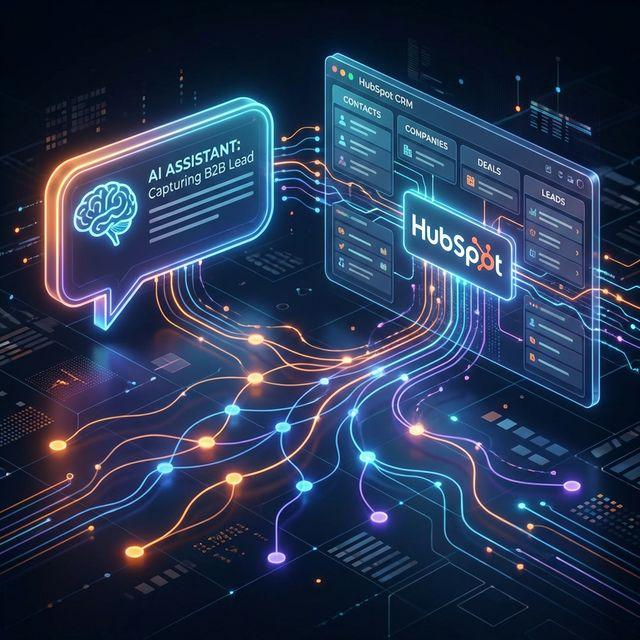
The solution is connecting a large language model (LLM)—like GPT-4 or Claude—directly to your HubSpot CRM through an orchestration layer. This gives you a chatbot that can hold real conversations, qualify leads using your specific criteria, and push everything directly into your CRM pipeline with zero manual data entry.
This guide walks through the architecture, implementation, and optimization of that system step by step.
Why Native CRM Chatbots Aren't Enough (Yet)
HubSpot's Breeze Customer Agent and similar native tools have improved significantly, but for most B2B use cases, they still have limitations:
- Rigid conversation flows — They struggle with multi-turn, nuanced conversations where the prospect doesn't follow the expected path.
- Limited reasoning — They can match keywords and route tickets, but they can't synthesize information from your knowledge base to give thoughtful, contextual answers.
- Plan restrictions — Many advanced AI features are locked behind Professional or Enterprise plans, which smaller teams may not justify.
That doesn't mean HubSpot isn't part of the solution. HubSpot is an excellent CRM—it's where your leads should end up. But the conversational AI layer in front of it can be more capable when you build it yourself using modern LLM APIs and a workflow orchestrator.
The Architecture: How It All Fits Together
Here's the system at a high level:
(n8n/Make)
(+ Knowledge Base)
(Profile & Deals)
This "middleman" approach gives you full control over the conversation logic, what data gets captured, and how leads are scored—without being locked into any one vendor's AI capabilities.
The Key Components
- Chat widget — The frontend component on your website that the visitor interacts with. This can be a custom widget, Intercom, Tidio, or even a simple webhook-connected form.
- Orchestration platform — n8n (self-hosted or cloud) or Make.com. This is the glue between every component. It receives the message, calls the LLM, sends the response, and writes to HubSpot.
- LLM API — OpenAI (GPT-4o) or Anthropic (Claude). The "brain" that generates intelligent responses.
- Knowledge base — Your product docs, pricing info, FAQs, and case studies, structured so the LLM can retrieve relevant context for each conversation (this is called Retrieval-Augmented Generation, or RAG).
- HubSpot CRM — The destination for all captured lead data, conversation summaries, and pipeline actions.
Phase 1: Design the Conversational Strategy
Before you write a single automation, define what the chatbot should actually do. This is the step most teams skip, and it's the reason most chatbots feel awkward and unhelpful.
Define the Primary Goal
Pick one primary objective for the chatbot:
- Book a meeting — The bot's job is to qualify the visitor and push them toward scheduling a demo or discovery call.
- Answer technical questions — The bot acts as a 24/7 presales engineer, answering product and integration questions from your knowledge base.
- Capture and qualify leads — The bot asks the right questions to determine fit, tags the lead in HubSpot, and alerts the right salesperson.
You can combine these, but having a clear priority determines how you design the conversation flow and measure success.
Define Your Qualification Criteria
For B2B lead gen, the most effective framework is BANT (Budget, Authority, Need, Timeline) or a simplified version of it. Define 3–5 questions the bot should naturally work into the conversation:
- What problem are you trying to solve? (Need)
- How many people on your team would use this? (Scale/Budget indicator)
- What's your timeline for making a decision? (Timeline)
- Are you evaluating other solutions? (Intent level)
The key word is naturally. An LLM-powered chatbot doesn't need to ask these as a rigid sequence. It can weave them into a real conversation based on what the visitor says.
Build the Knowledge Base
Your chatbot is only as good as the context you give it. Create a structured document (or set of documents) that covers:
- Product or service descriptions — What you offer, who it's for, and how it works.
- Pricing structure — Even if it's "starting at" ranges. Visitors ask about pricing more than anything else, and a bot that says "I can't share pricing" is a missed opportunity.
- Common objections and answers — What concerns do prospects typically raise? Give the bot clear, honest responses.
- Ideal customer profile — Who is a good fit, and who isn't. This helps the bot qualify realistically.
For RAG-based systems, these documents are chunked, embedded, and stored in a vector database (like Pinecone or Supabase Vector). When a visitor asks a question, the system finds the most relevant chunks and feeds them to the LLM as context, so every answer is grounded in your actual information rather than hallucinated.
Phase 2: Build the Orchestration Workflow
This is the technical build. Using n8n as the orchestration platform, here's the workflow logic:
Step 1: Receive the Message
Set up a Webhook node in n8n that receives incoming messages from your chat widget. The payload should include:
- The user's message text
- A session ID (to maintain conversation history)
- Any existing user data (email, name) if previously captured
Step 2: Retrieve Conversation History
Use a database node (Postgres, Redis, or even a simple Google Sheet) to fetch the previous messages in this session. This gives the LLM the full conversation context so it can maintain a coherent dialogue.
Step 3: Query the Knowledge Base
Use an embedding search to find the most relevant sections of your knowledge base for the current question. This is the RAG step—it ensures the LLM's response is grounded in your actual documentation rather than general training data.
Step 4: Call the LLM
Send the user's message, conversation history, relevant knowledge context, and your system prompt to the LLM. The system prompt should include:
- The bot's role and tone of voice ("You are a helpful presales agent for [Company Name]")
- The qualification questions it should work into the conversation
- Instructions for when to escalate to a human
- Clear boundaries on what it should and shouldn't discuss
Step 5: Extract Structured Data
This is what makes the system powerful. After the LLM generates its response, use a second LLM call (or a structured output call) to extract any new information revealed in the conversation:
- Contact name
- Email address
- Company name
- Key pain points or needs
- Qualification score (based on BANT criteria)
Step 6: Update HubSpot
Use the HubSpot API to create or update a Contact record with the extracted data. Key actions:
- Create or Update Contact using the email as the dedupe key.
- Set custom properties — Create custom fields in HubSpot like
AI_Lead_Summary,AI_Qualification_Score, andAI_Chat_Transcriptto store the bot's assessment. - Trigger a HubSpot workflow — If the lead meets your qualification threshold, automatically assign a Contact Owner, create a Deal, or enroll them in a follow-up email sequence.
Step 7: Send the Response
Return the LLM's response to the chat widget via the webhook response. The visitor sees an intelligent, contextual reply within 2–4 seconds.
Phase 3: The Human Handoff (The Most Critical Step)
AI should know when to step aside. This isn't just about handling the cases where the bot gets confused—it's about recognizing high-intent moments where a human touch converts better than any bot.
Configure Escalation Triggers
Set up automatic escalation when:
- The visitor explicitly asks to speak with a person
- The bot detects a high-value opportunity (enterprise deal, large team size)
- The conversation reaches a natural stopping point after qualification is complete
- The bot encounters a question it can't answer with confidence
What Happens During Handoff
When escalation triggers, the orchestration workflow should:
- Tag the Contact Owner in HubSpot based on territory, industry, or deal size routing rules.
- Send a Slack notification (or email) to the assigned salesperson with the full chat transcript and the AI's qualification summary.
- Transfer the live chat to the human agent if they're available, or schedule a callback if they're not.
- Send the visitor a message acknowledging the handoff: "I'm connecting you with [Name] who can help with the specifics of your situation."
The salesperson walks into the conversation with full context—they know the prospect's name, company, pain points, and where they are in the decision process. No cold starts.
Phase 4: Testing and Refinement
A chatbot that isn't tested under realistic conditions will embarrass you in front of your best prospects.
Shadow Testing
Before going live, run the bot in "shadow mode" for 1–2 weeks. It receives real messages and generates responses, but a human reviews and sends each response. This catches:
- Hallucinations (the bot making up features or pricing)
- Tone mismatches (too casual, too aggressive, too robotic)
- Qualification logic errors (scoring leads incorrectly)
Ongoing Optimization
After launch, schedule a weekly review of chat logs. Look for:
- Questions the bot couldn't answer — These reveal gaps in your knowledge base. Add the missing information.
- Drop-off points — Where in the conversation do visitors stop responding? This usually means the bot asked the wrong question or got too salesy too fast.
- Qualification accuracy — Compare the bot's lead scores with actual deal outcomes. Adjust the scoring criteria if high-scored leads aren't converting, or low-scored leads are closing.
What Results Look Like
When this system is running well, here's what changes:
- Response time drops to under 5 seconds, 24 hours a day. That alone can increase conversion rates by 3–5x compared to traditional contact forms.
- Lead data quality improves because the bot captures structured information during natural conversation, not through forms that visitors abandon.
- Your sales team focuses on closing, not qualifying. They only talk to leads who've already been vetted, with a full AI-generated summary of the prospect's needs, budget, and timeline.
- Nothing falls through the cracks. Every conversation—whether it converts or not—is logged in HubSpot with a transcript and AI analysis.
Frequently Asked Questions
Can I use HubSpot's native chatbot instead of building a custom integration?
HubSpot's Breeze Customer Agent works well for basic routing and FAQ responses, especially if you're on a Professional or Enterprise plan. However, for B2B lead qualification that requires nuanced, multi-turn conversations and custom scoring logic, a custom LLM integration through an orchestrator like n8n gives you significantly more control and capability. You can always start with native and upgrade later.
How much does it cost to build an AI chatbot integration with HubSpot?
A typical implementation ranges from $4,000 to $10,000, depending on the complexity of your qualification logic and knowledge base. Ongoing costs include LLM API usage ($20–$150/month depending on volume) and your orchestration platform ($20–$100/month for n8n). Most businesses see a positive ROI within 3–6 months from improved lead conversion alone.
Will the AI chatbot replace my sales team?
No. The chatbot handles the initial qualification and data capture—the tasks your sales team probably doesn't enjoy anyway. It makes your salespeople more effective by giving them pre-qualified leads with full context, so they spend their time on high-value conversations that actually close deals.
What happens when the chatbot doesn't know something?
A well-configured system will recognize when it lacks confidence and gracefully escalate to a human. It will also log the question so you can add the answer to the knowledge base, making the bot smarter over time. The goal is continuous improvement, not perfection from day one.
How do I measure whether the chatbot is working?
Track three key metrics: (1) Lead-to-MQL conversion rate — what percentage of conversations result in a qualified lead, (2) Average response time — how quickly the bot engages visitors, and (3) Handoff success rate — when the bot escalates, how often does the human sales team successfully follow up. Review these weekly for the first month, then monthly after that.
Want to see how an AI-powered sales agent would work with your HubSpot setup? Check out our Lead Generation Automation services, or book a quick call to walk through your current lead flow.